Home inventory software built for the people who document homes for a living.
Whether you run a home inventory business, work contents claims as a public adjuster, or document belongings for estates and moves, HomeContentsListPro keeps every client home organized room by room—and turns it into a contents inventory an adjuster can work with.
- No credit card
- 14 days free
- No automatic charge
Spend your time in the home, not retyping it later.
A home inventory specialist is paid for a complete, credible record. These tools shorten the walk-through and the write-up without taking the review out of your hands.
Scan a whole room from one photo
Photo Scan finds the items in a room photo and suggests names, brands, and replacement costs. You confirm or correct each one before it is saved.
Scan barcodes on boxed items
Scan the UPC on a product or its box with a phone camera to fill in the name, brand, and model, then add the serial number and photos.
Replacement costs with sources
AI replacement-cost research suggests a current price with the retailer and a source link, so every value in your report can be checked.
Flag valuables over policy limits
Categorize jewelry, firearms, silverware, collectibles, and more. Each home shows when a category is over its special limit, so clients can talk to their agent about scheduling those items.
Import what the client already has
Bring in a client’s existing spreadsheet with a column mapper, then fill the gaps. Documentation guidance shows which items still need photos, costs, or purchase details.
Hand off a claim-ready deliverable
Export Excel or CSV spreadsheets, PDF summary reports, and photo packages. Submitting a claim preserves a permanent snapshot of the inventory and frees the property slot for your next client.
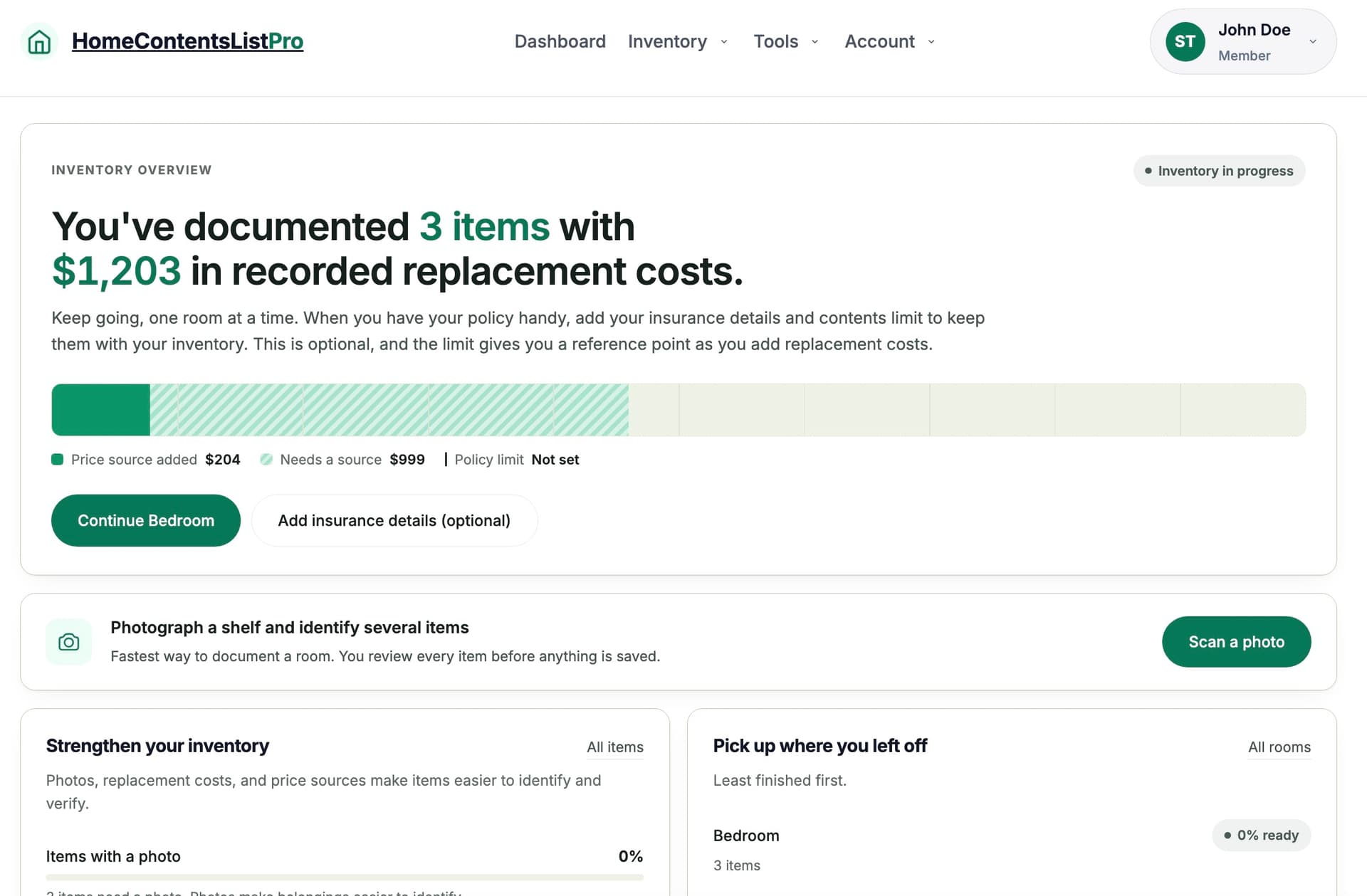
See each inventory’s progress, value, and missing proof.
Track documented value and incomplete records for every property you manage, and pick up where an assistant left off.
From walk-through to finished report.
Set up the property before the visit, capture room by room on site, and finish the review and export from the office.
- 1Add the client’s property
Create the home and its rooms, or import the client’s existing list, before you arrive.
- 2Capture each room on site
Photograph rooms for Photo Scan, scan barcodes on boxed items, and attach receipts and serial-number photos as you go.
- 3Review, value, and deliver
Confirm each item, accept or adjust replacement costs, check coverage limits, then export the report and give the client read-only access.
Run your first inventory free for 14 days.
Your trial runs on the Professional plan for 14 days, with no credit card: team seats, multiple client homes, and client access included. Document a real client home and decide when the trial ends.
Home inventory specialist software, answered.
What does a home inventory specialist do?
A home inventory specialist documents the contents of a home for the owner: photographing and listing belongings room by room, recording details such as brand, model, serial number, quantity, age, and condition, and delivering an organized record. Clients use it for insurance, claims after a loss, estate planning, moves, and divorce.
What software do home inventory specialists use?
Many start with spreadsheets and photo folders, then move to dedicated home inventory software that keeps photos, documents, values, and items together and produces client-ready reports. HomeContentsListPro is built for that work, with multi-property management, team seats, client access, AI-assisted capture, and replacement-cost research.
Can I manage several clients’ homes in one account?
Yes. The Professional plan supports up to 12 active properties at once, plus 10 retained submitted claims. Submitting a claim preserves a permanent snapshot of that inventory and releases its active property slot for your next client.
Can my clients see their inventory?
Yes. You can give a client read-only access to their own property. They can review the inventory without seeing your other clients or being able to change the record.
Can assistants work in the same account?
Yes. Professional includes three user seats—the owner and up to two assistants—and 1,000 AI credits per month shared across the team.
What should a professional home inventory report include?
At minimum: each item by room with a description, brand, model, serial number, quantity, approximate age or purchase date, condition, and replacement cost, backed by photos and receipts where available. It also helps to note the source of each value and to point out valuables that may exceed the policy’s special limits.
Does HomeContentsListPro calculate depreciation or actual cash value?
No. It records replacement cost, purchase dates or age, and condition for each item, which is what an adjuster needs to apply the depreciation rules in the client’s policy. Depreciation methods vary by insurer and policy, so the calculation is left to the claim.
Can I export inventories to Excel?
Yes. You can export Excel (.xlsx) and CSV spreadsheets with the columns you choose, as well as PDF summary reports, photo packages, and full backups.
Do I need a certification to be a home inventory specialist?
There’s no license or recognized certification for documenting a home’s contents. Most specialists learn on the job, working alongside experienced specialists and public adjusters. Negotiating an insurance claim on someone’s behalf is different: public adjusters are licensed by state insurance departments in most states, so check your state’s rules.
How should I price home inventory services?
It depends on the job and the agreement. On claims that come through a public adjuster, specialists are often paid a share of the public adjuster’s fee when the claim settles. For inventories done before a loss, an hourly rate or a flat fee is common. Whatever the arrangement, finishing an accurate list faster raises what you earn per hour.
Have a different question? Contact us or read the full FAQ.
Deliver a cleaner contents inventory in less time.
14 days of Professional free. No credit card. No automatic charge.
Start your 14-day free trial