Turn what you remember into a clear, itemized contents list.
Rebuild your belongings room by room, attach supporting photos and receipts, research replacement costs, and prepare an organized record for your claim.
- No credit card
- Seven days free
- No automatic charge
Move from scattered evidence to one working inventory.
A useful contents record needs more than a list of item names. Keep the facts and supporting material together while you work.
Reconstruct one room at a time
Follow the layout of your home so the task feels manageable and overlooked belongings are easier to spot.
Strengthen each item record
Add quantities, brands, models, photos, receipts, dates, and replacement-cost information as you find it.
Prepare for follow-up questions
See which entries still need evidence, then generate organized reports and exports when you are ready.
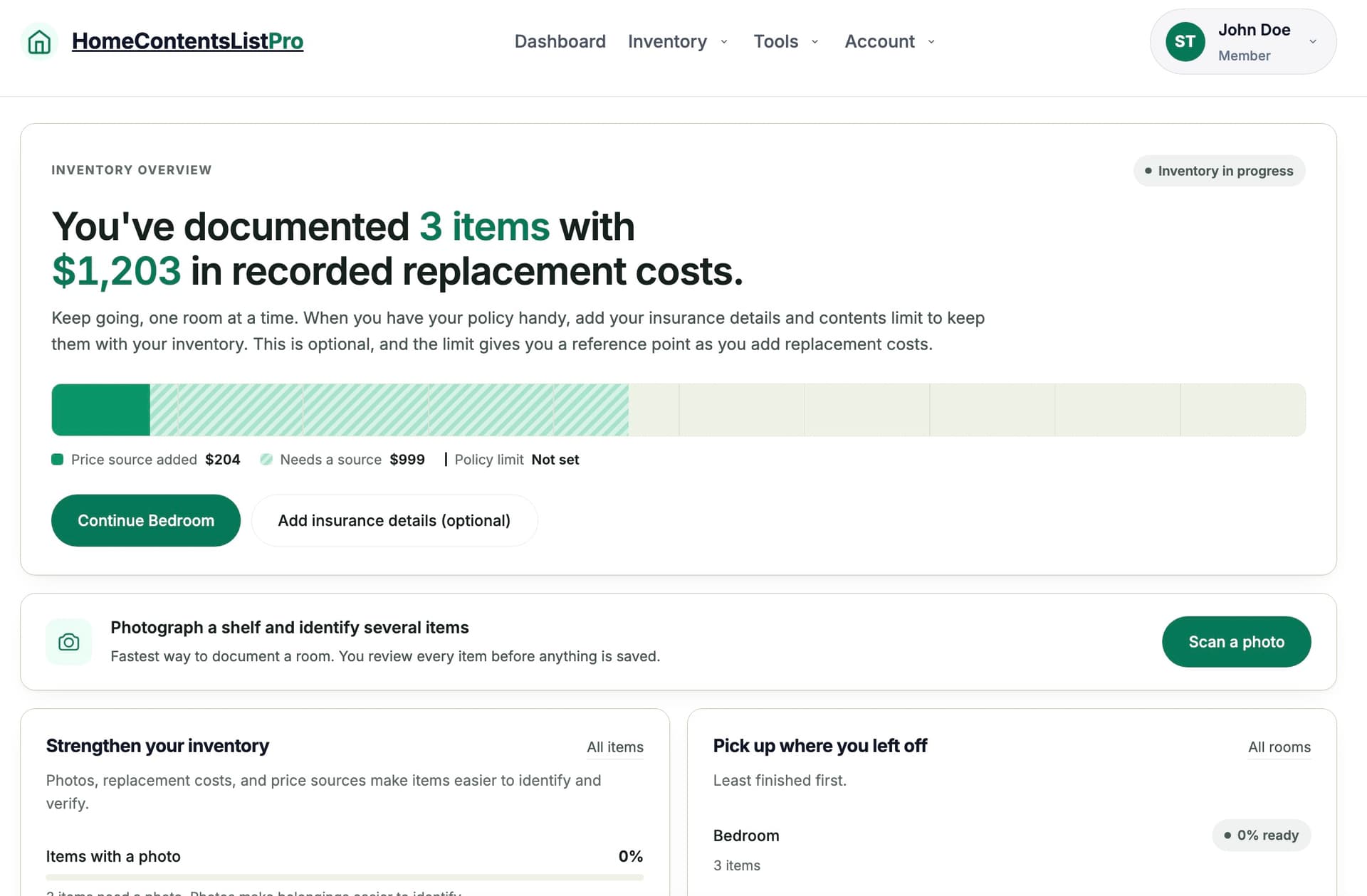
See the inventory taking shape.
Track documented value, progress by room, and documentation gaps from one workspace. Sample figures are shown for illustration.
Start small. Build a stronger record as you go.
You do not need every receipt or every model number before you begin.
- 1Create your home and rooms
Match the spaces you are reconstructing.
- 2Add what you remember
Enter items directly, import a list, or use Photo Scan.
- 3Review, research, and export
Fill the important gaps and prepare the format you need.
Try the complete workflow before choosing a plan.
Create one home, use the inventory tools, and test the exports for seven days. If it helps, Single Home costs $25 monthly or $240 annually. You choose later; signup does not collect payment.
Know exactly what the trial involves.
Do I need a credit card to start?
No. HomeContentsListPro does not collect payment information when you create your trial account.
What happens when the seven-day trial ends?
Your trial access ends unless you deliberately choose a paid plan. Because no card is collected at signup, there is no automatic charge.
What can I record for each belonging?
You can organize items by room and record details such as quantity, brand, model, photos, receipts, purchase information, and replacement-cost research.
Can I give the inventory to my adjuster?
Yes. You can prepare reports, spreadsheets, photo packages, backups, and read-only links. Review the information before sharing it.
Does AI decide what goes into my claim?
No. AI features are optional and provide suggestions for you to review. You decide what to save, correct, export, or share.
Have a different question? Contact us or read the full FAQ.
Give your contents claim one organized place to live.
Seven days free. No card. No automatic charge.
Create my free account