Create a home inventory for insurance before you need it.
Document what you own room by room, keep photos and receipts with each item, and build a private record you can pull up if fire, theft, or another loss happens.
- No credit card
- 14 days free
- No automatic charge
Build an inventory you can keep current.
A paper checklist or basic list usually has no photos, receipts, or replacement costs. Here you keep those with each item, so the details are on hand when you talk to your insurer.
Know what you own
Move room by room and record the belongings that are easy to overlook, from major electronics to the contents of closets and cabinets.
Keep evidence with each item
Attach photos and receipts, then add brands, models, dates, quantities, notes, and serial numbers as you find them.
Prepare a usable record
Track documented replacement value and export organized files when you want a backup or need to discuss a loss with your insurer.
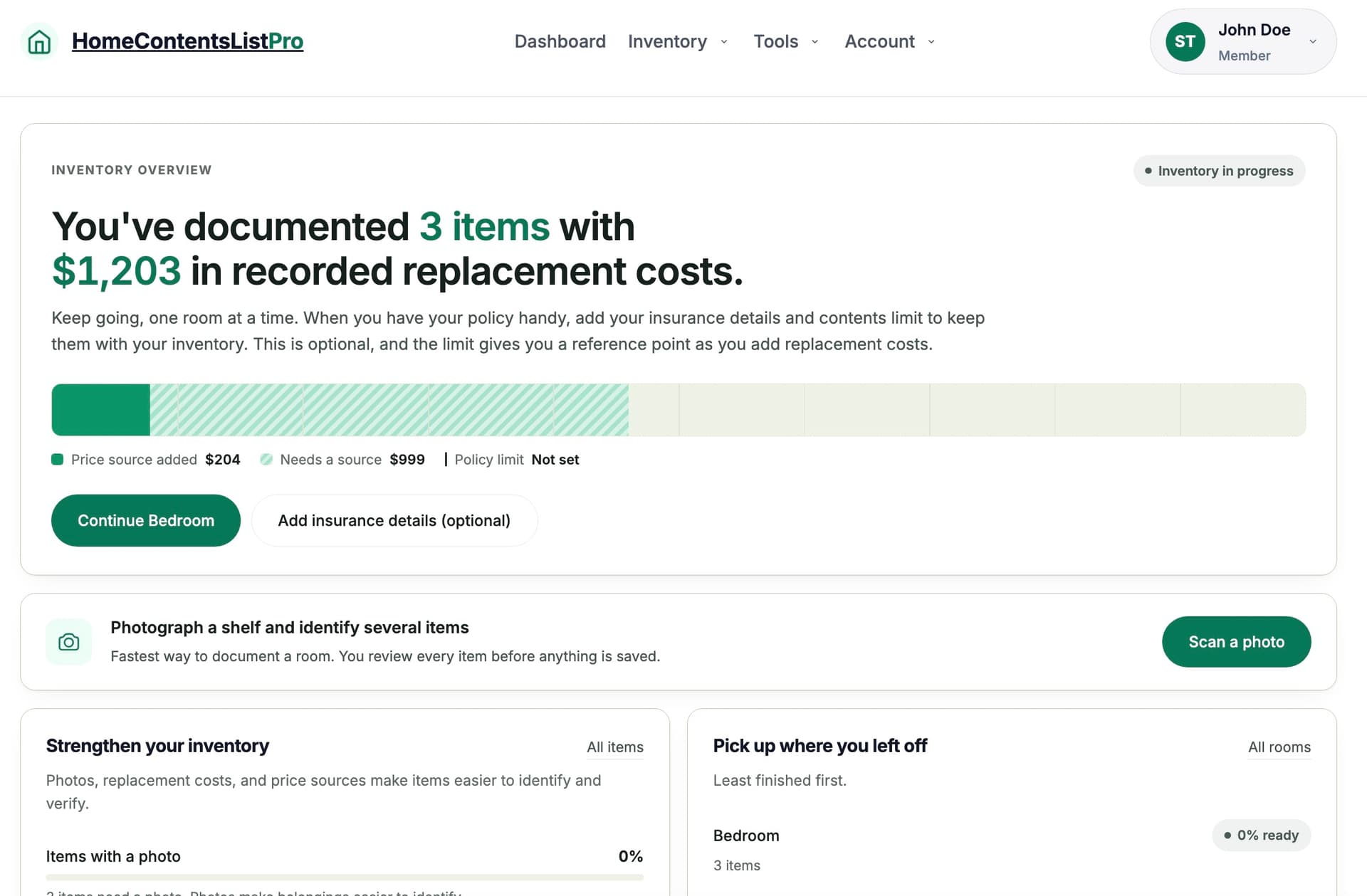
What the inventory looks like
View progress by room, documented value, and missing details from one workspace. You can add information over time instead of finishing in one sitting.
Begin with the room you use most.
You can add receipts, model numbers, and prices later. A partial inventory is better than none.
- 1Create your home and rooms
Set up the spaces you want to document, from the kitchen to the garage.
- 2Add belongings and supporting details
Enter items directly, import a list, or use Photo Scan to help build the first draft.
- 3Review, update, and export
Fill important gaps, refresh values, and prepare reports or backups whenever you need them.
14 days free. No payment information required.
Create one home, document rooms and belongings, add photos, and test the reports and exports. If it helps, choose a plan later. Your trial does not automatically convert to a paid subscription.
Common questions
What is a home inventory for insurance?
A home inventory is a record of your personal belongings, typically organized by room. It can include photos, receipts, brands, models, quantities, serial numbers, purchase details, and estimated replacement values. Review your insurer’s specific requirements before relying on any inventory for a claim.
Should I make a home inventory before a loss?
Yes. Recording belongings while you can still see and photograph them is generally easier than reconstructing everything from memory after a fire, theft, or other loss. You can start with high-value rooms and expand the record over time.
Can I use this home inventory for an insurance claim?
You can use HomeContentsListPro to organize item details and supporting material, then prepare reports, spreadsheets, photo packages, backups, and read-only links. Coverage and documentation requirements vary, so review the result and follow your insurer’s instructions.
Can I add photos, receipts, and replacement values?
Yes. Each item can include photos, receipts, purchase information, quantities, brands, models, serial numbers, notes, and replacement-cost research. You decide which details to keep.
Is my personal property inventory private?
Your inventory is stored in your private account and is not a public listing. You control any exports or read-only links you create and should review information before sharing it.
Do I need a credit card for the free trial?
No. The 14-day trial does not collect payment information and does not automatically charge you. Trial access ends unless you deliberately choose a paid plan.
Have a different question? Contact us or read the full FAQ.
Create your first room today.
14 days free, no credit card, and no automatic charge.
Start my free inventory